VET: Say Goodbye to Copy-and-Paste with Automated VET Mapping!
Published by Sen Nguyen4 min read
In This Article
Assessments are one of the major areas of concern for RTOs. Getting them right is vital as it directly impacts the judgements and outcomes for students and the industry.
An RTO must be able to demonstrate how their assessment fulfills the standards of the unit of competency, and mapping is a powerful way to demonstrate this!
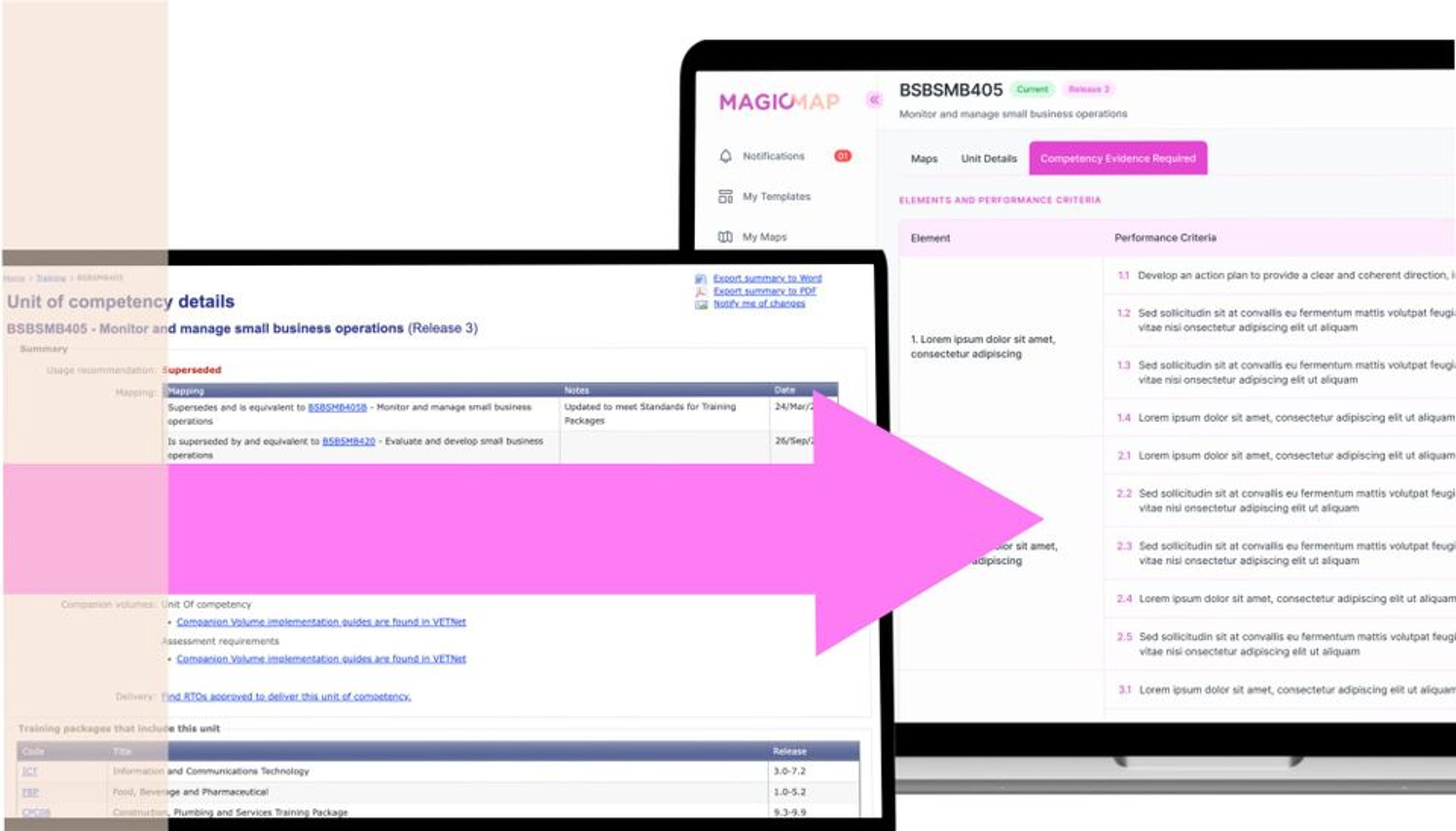
Traditionally, unit mapping involves tedious hours of copying and pasting from Training.gov.au just to get your templates ready. No doubt you’ve wondered if there’s a faster way.
Finally, there is an easy way to cut wasted time from your workflow.
With automated VET mapping, you can generate a unit mapping template in just one click with Magic Map. No copy-and-paste required!
Generate Mapping Templates in One Click
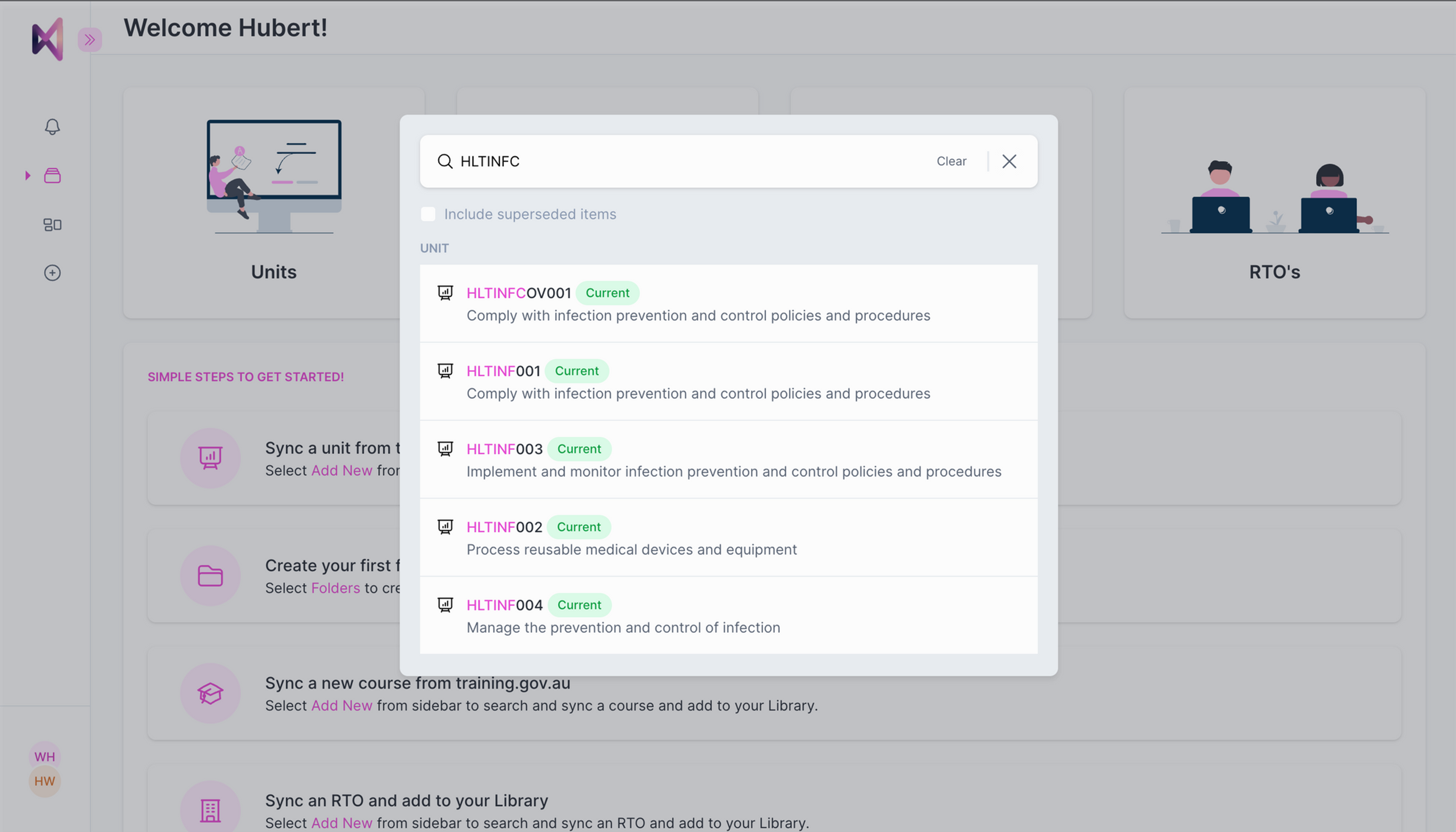
Simply type the unit code into Magic Map and generate the template with data from Training.gov.au instantly.
Watch the original short video to see it in action.
Instead of manually copying unit information into a VET mapping spreadsheet, Magic Map generates the mapping template for you, helping reduce RTO mapping time and making the process more efficient.
Download and Work Offline
Magic Map’s online storage helps users to easily sort their maps by course, qualification, RTO, or a folder directory tailored to meet their needs. RTOs can now easily store, share and collaborate using our cloud-based library that keeps all maps in one place for everyone to access.
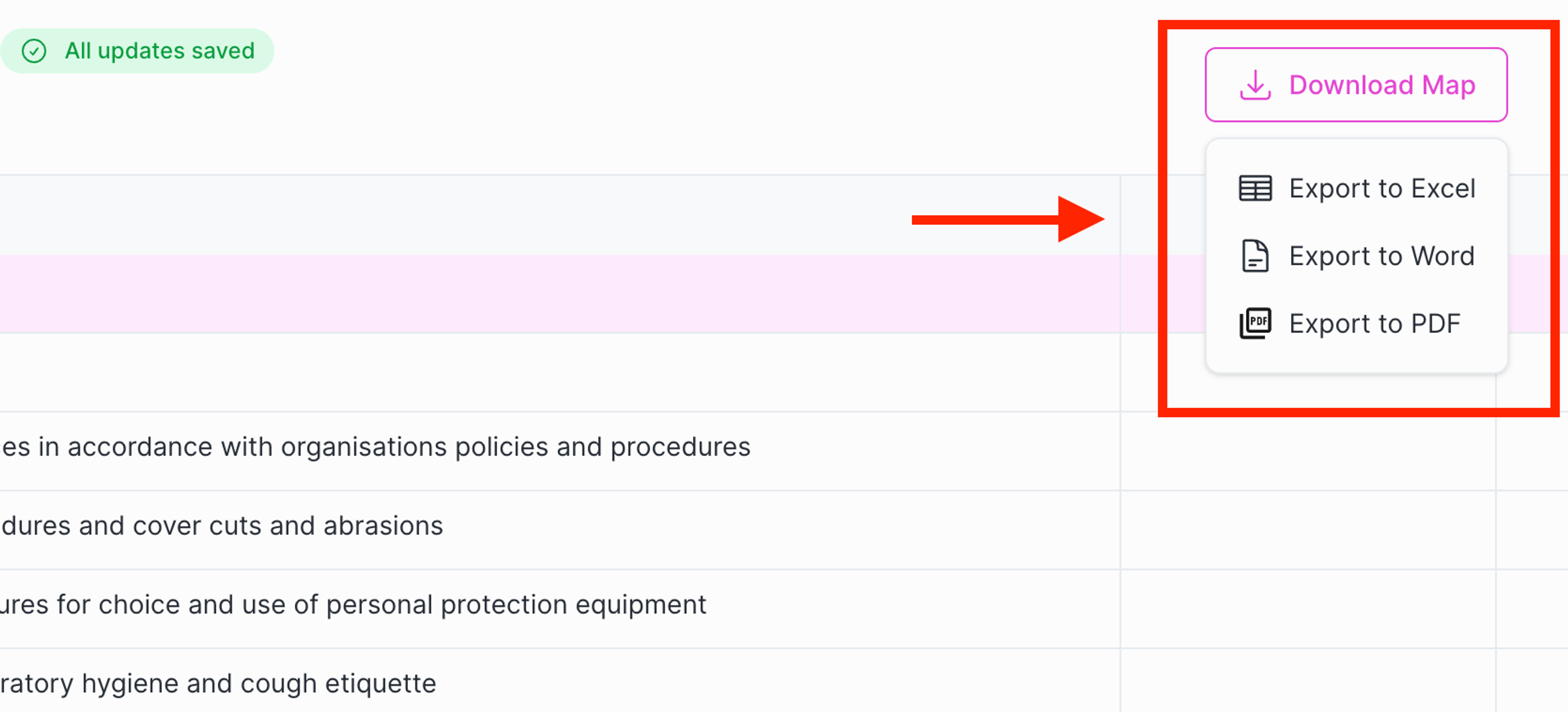
Maps are available to download as:
- DOCX
- Excel
Whether you prefer working online or keeping a local copy of your mapping documents, Magic Map gives you the flexibility to choose.
Organise, Store and Collaborate
Magic Map’s online storage helps users easily sort their maps by course, qualification, RTO, or a folder directory tailored to meet their needs.
RTOs can now easily store, share and collaborate using our cloud-based library that keeps all maps in one place for everyone to access.
As an online RTO mapping tool, Magic Map also makes it easier for teams to access their mapping information and work together.
Manage Training Package Updates
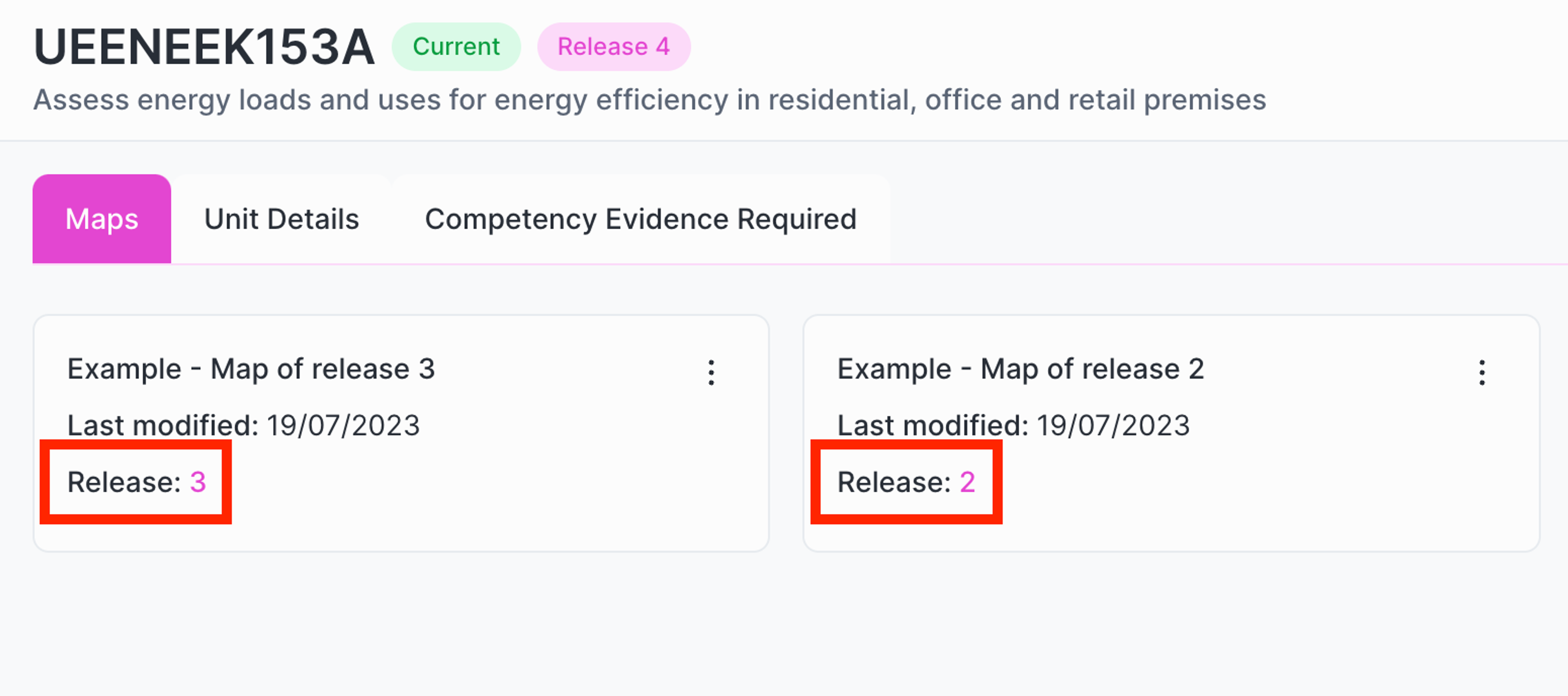
Using the Magic Map TG Update tool, users can simply pick and choose how they wish to apply updates from Training.gov.au and either generate a new, updated version of their map or apply the updates to the existing map without duplicating.
Easily manage unit updates and apply changes to your existing maps in just a few clicks.
With automated VET mapping, keeping your mapping information up to date becomes a more manageable process.
1. How can RTOs avoid manual copy-and-paste when creating VET maps?
Magic Map allows users to enter a unit code and generate a mapping template using information from Training.gov.au. This removes the need to manually copy and paste unit information.
2. What file formats can I download Magic Map templates in?
Magic Map allows users to download maps in PDF, DOCX and Excel formats. You can then choose to work online or offline.
3. Can RTO teams collaborate using Magic Map?
Yes. Magic Map’s cloud-based library allows RTO teams to store, share and collaborate on maps, with information organised by course, qualification, RTO or custom folder directories.
4. How does the Magic Map TG Update tool work?
The TG Update tool allows users to choose how they want to apply updates from Training.gov.au. They can generate a new updated version of a map or apply changes to an existing map without duplicating it.
5. Does Magic Map offer a free trial?
Yes. Magic Map offers a 7-day free trial for users who want to explore its premium collaboration and advanced mapping features. It also offers a Free Forever plan for users who only need basic functionality.
Choose the Magic Map Plan That Works for You
Experience the full power of Magic Map in your way.
- For Power Users & Teams: Claim your 7-day free trial and unlock premium collaboration and advanced mapping tools.
- For Casual Explorers: Just looking for the basics? Get started with our Free Forever plan, it's perfect for light use, no strings attached.
Related Topics
Start Your Free Trial Today!